
What Is the Summer Reading Program?
Keep learning going all summer long with an engaging program at Morley Library. This free program encourages kids, teens, and adults to read at least 20 minutes a day and complete activities that make learning fun all summer long.
All reading counts! Whether a child has an adult read to them, adults listen to audiobooks on their commute, or participants read graphic novels, comic books, blog posts, or magazines—it all adds up.
Activities matter! Activities count toward completing the challenge. The more badges you complete, the more digital tickets you earn.
How to Get Started
There are three ways to register:
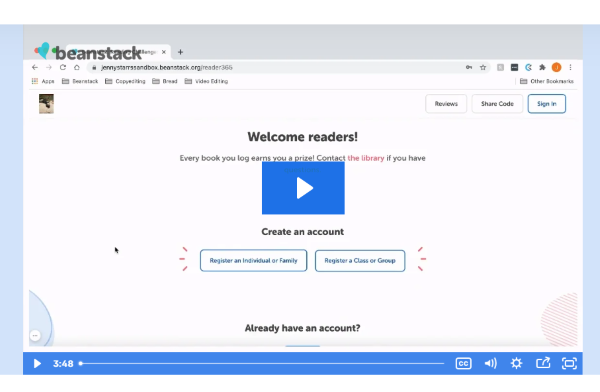
- Register online using the Morley Library Beanstack registration page .
- Download the Beanstack app on your mobile device and enter your Morley Library information.
- Register in person at the reference desks on the 2nd or 3rd floor.
If you have participated in past Beanstack challenges, log in using your existing username and password. Visit a library service desk for help resetting your password.
Reading Challenge Age Groups
- Babies and Toddlers: Ages 0–3
- Preschool and Elementary: Ages 4–12
- Teens and Adults: Ages 13 and up
How to Participate
- Read or listen to any books for at least 20 minutes each day from Saturday, June 6 through Saturday, July 18.
- Log your reading daily using the Beanstack app or online account. Children may also use a paper reading tracker.
- Paper reading trackers must be brought to a library service desk before July 18 so your reading can be entered into Beanstack.
Prizes and Digital Tickets
- Babies and Toddlers: Earn digital tickets for drawings featuring baby- and toddler-appropriate prizes.
- Preschool and Elementary participants: Earn digital tickets for prize drawings of their choice.
- Teens and Adults: Earn digital tickets for prize drawings of their choice.
All reading and activities must be completed and logged by July 18 at 11:59 p.m. Paper reading trackers must be turned in by 4:00 p.m. on July 18.
Welcome to Morley Library's Reading Challenges.
Morley Library uses Beanstack for reading challenges such as summer reading club, 1000 Books Before Kindergarten, and 500 Books Before Middle School. If you have never enrolled in Beanstack at Morley Library, please visit the links below for assistance to set up your account or ask Morley Staff for help!
How to use Beanstack on your mobile device:
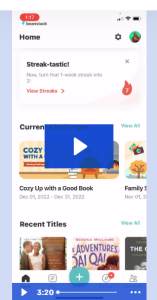
Download the Beanstack app from your mobile device's app store. For a quick tuturial on setting up an account for the first time, watch the step-by-step Beanstack setup video.
How to use Beanstack ONLINE/Web version
Learn how to use the Beanstack online/web version by watching this step-by-step tutorial video